


Run a tight ship on your loose festival.
Real-time incident and task management for festivals.
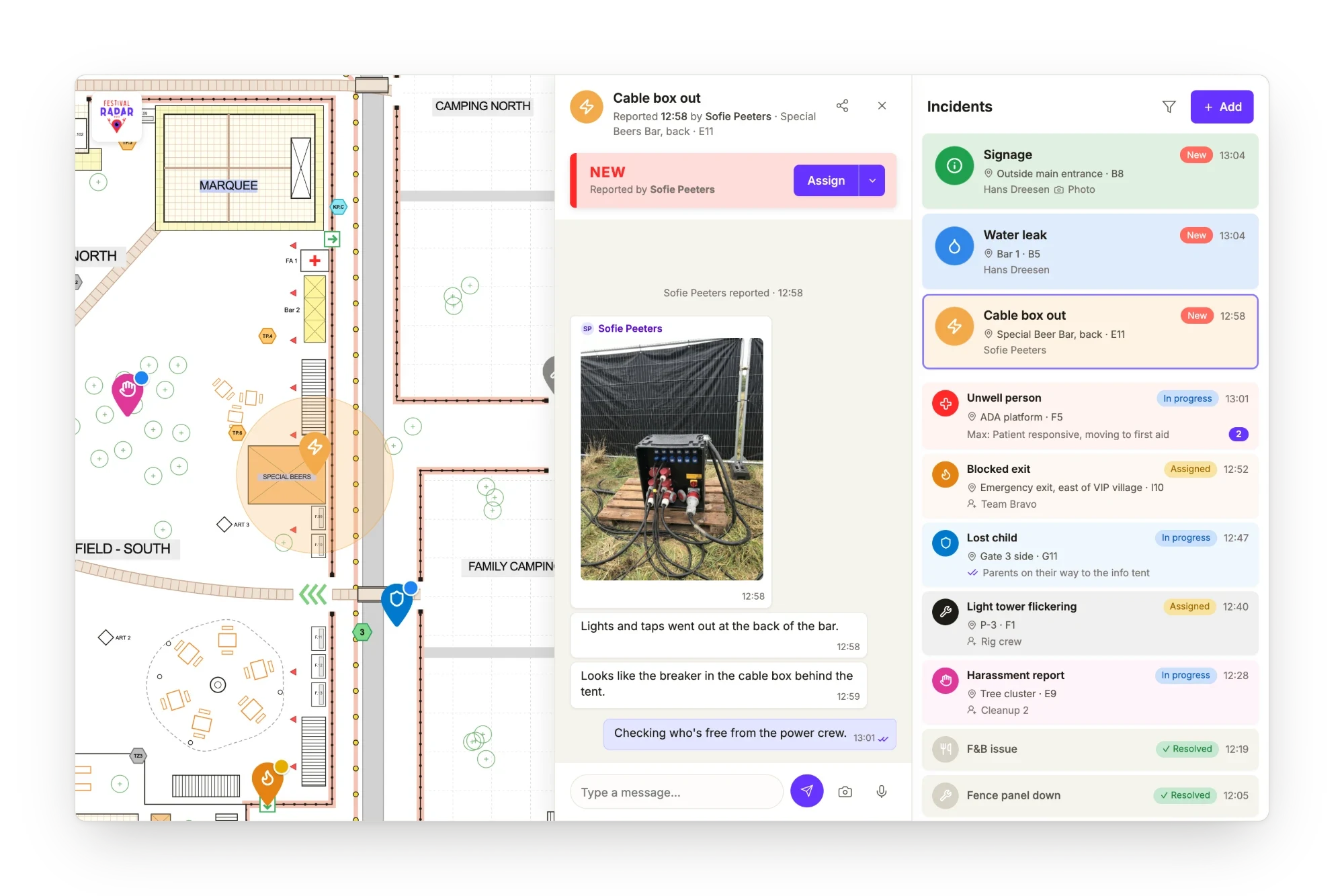
“Enough with the 1000 WhatsApp groups and communities. This is an interactive floor plan, planning tool, incident tool, reporting tool and so much more, in one clear app. Some of the best I've seen in the industry!”






From reported to resolved in three easy steps
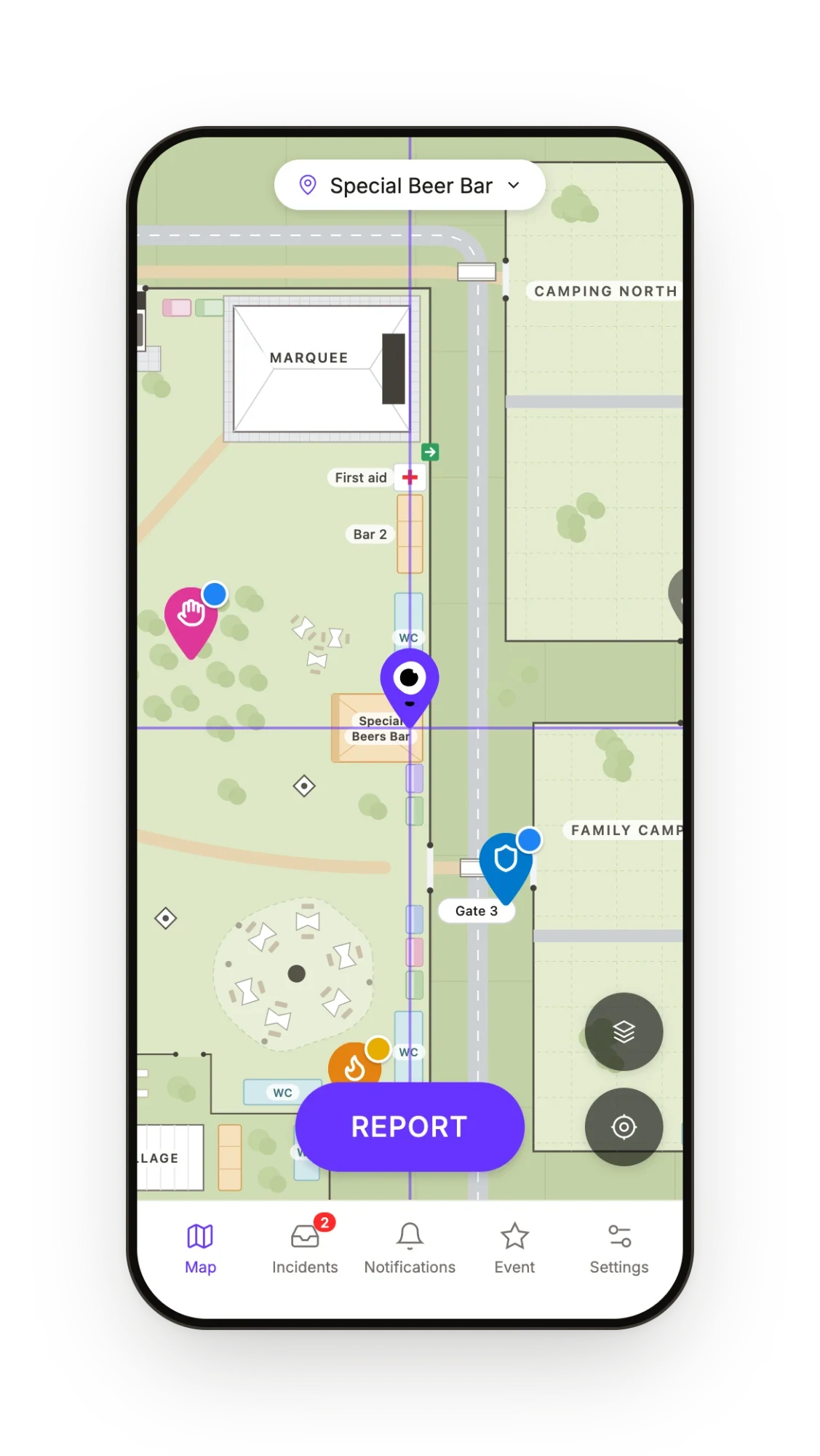
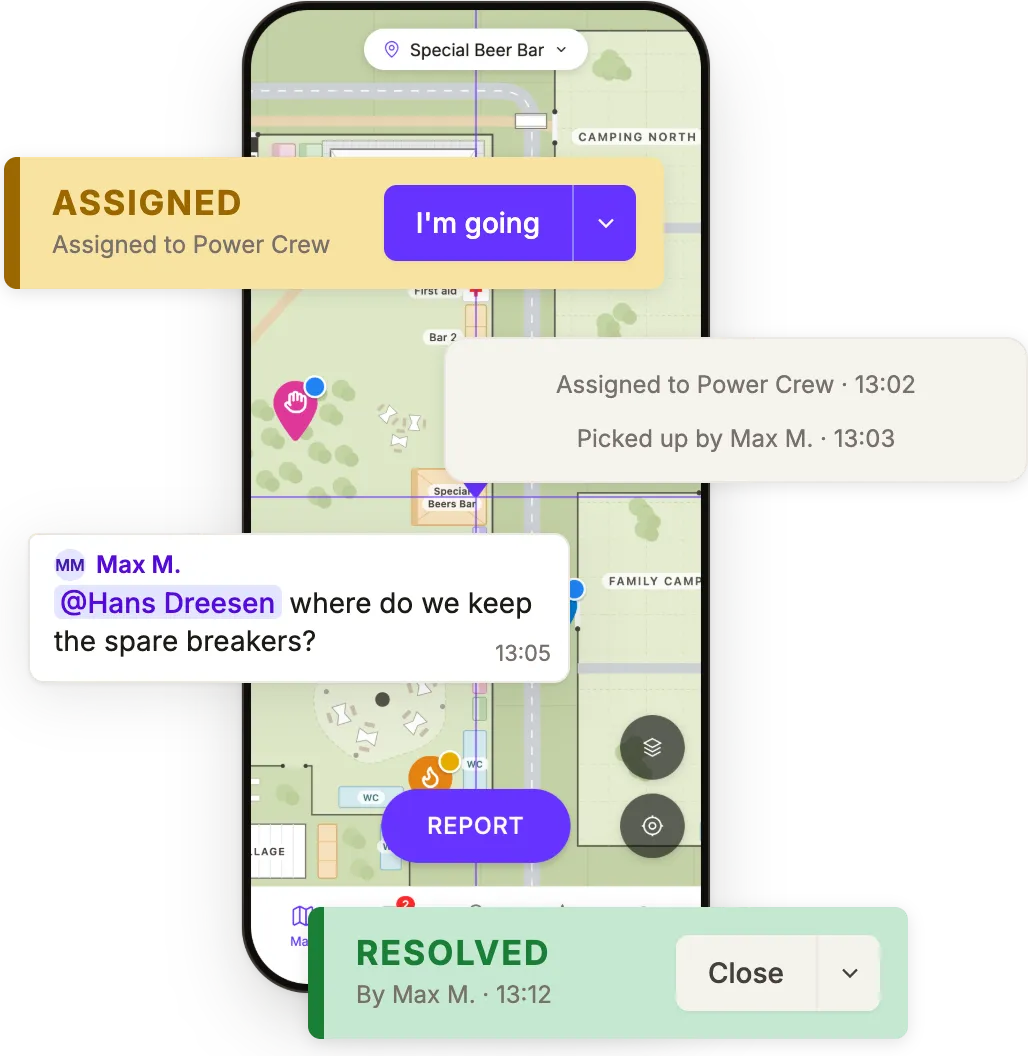
In less than 20 seconds, a crew member pins the spot, picks a category and adds a photo if they want. One-handed, no less.
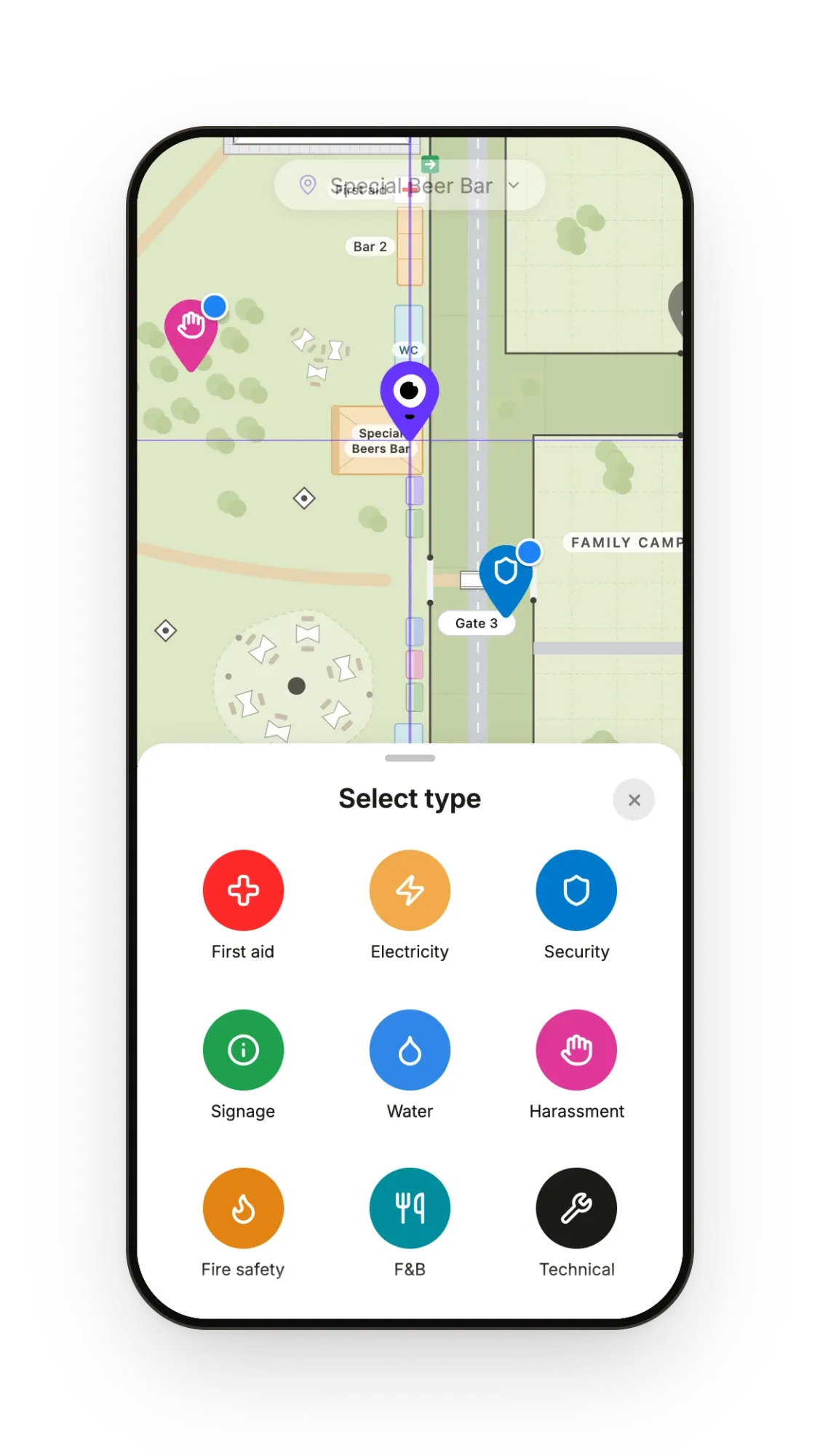
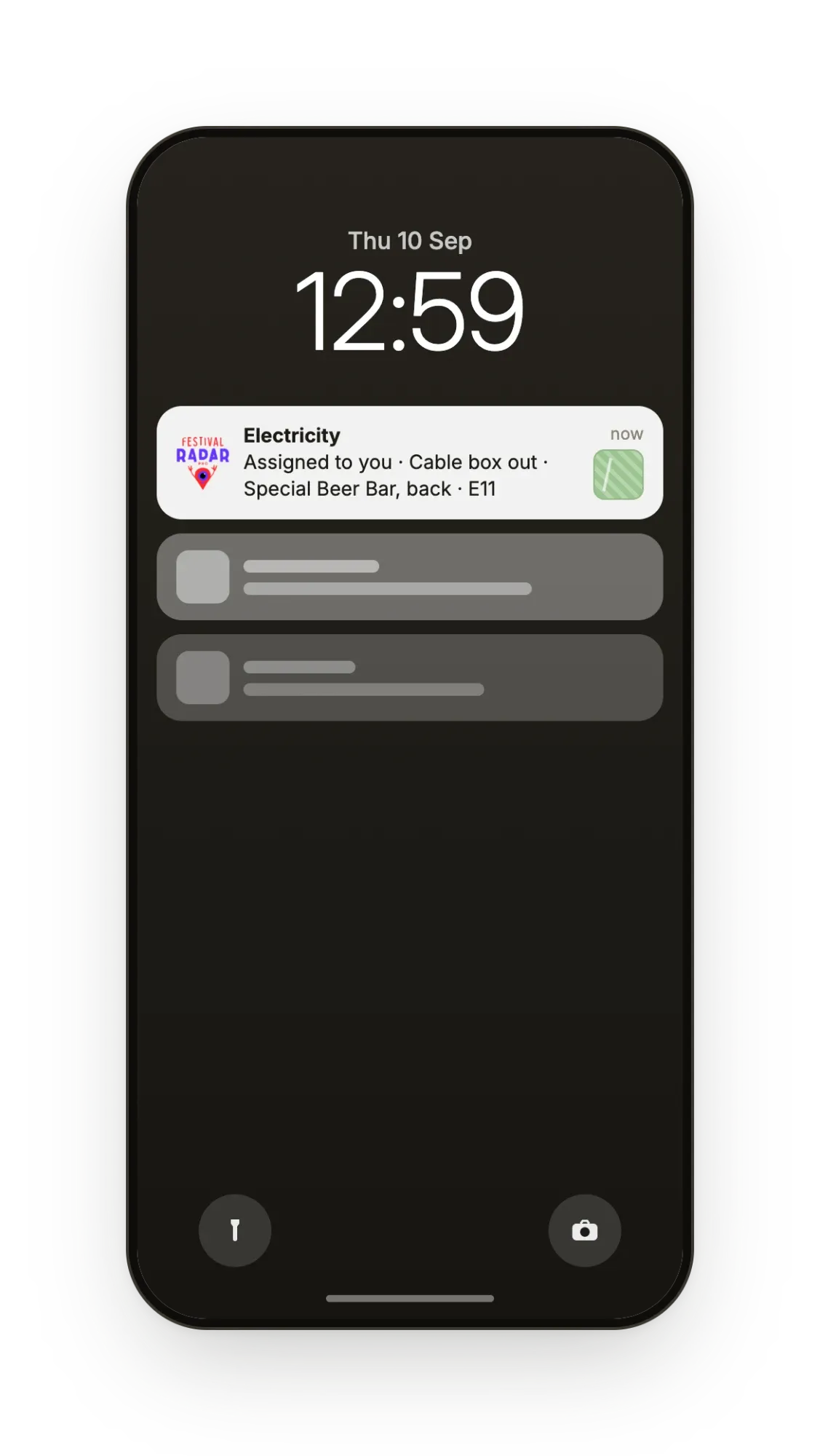
Your dispatch assigns it to an individual crew member or a whole team, who get a push notification with the details.
They fix it, add a note or a photo and mark it as resolved. All steps are on record automatically.
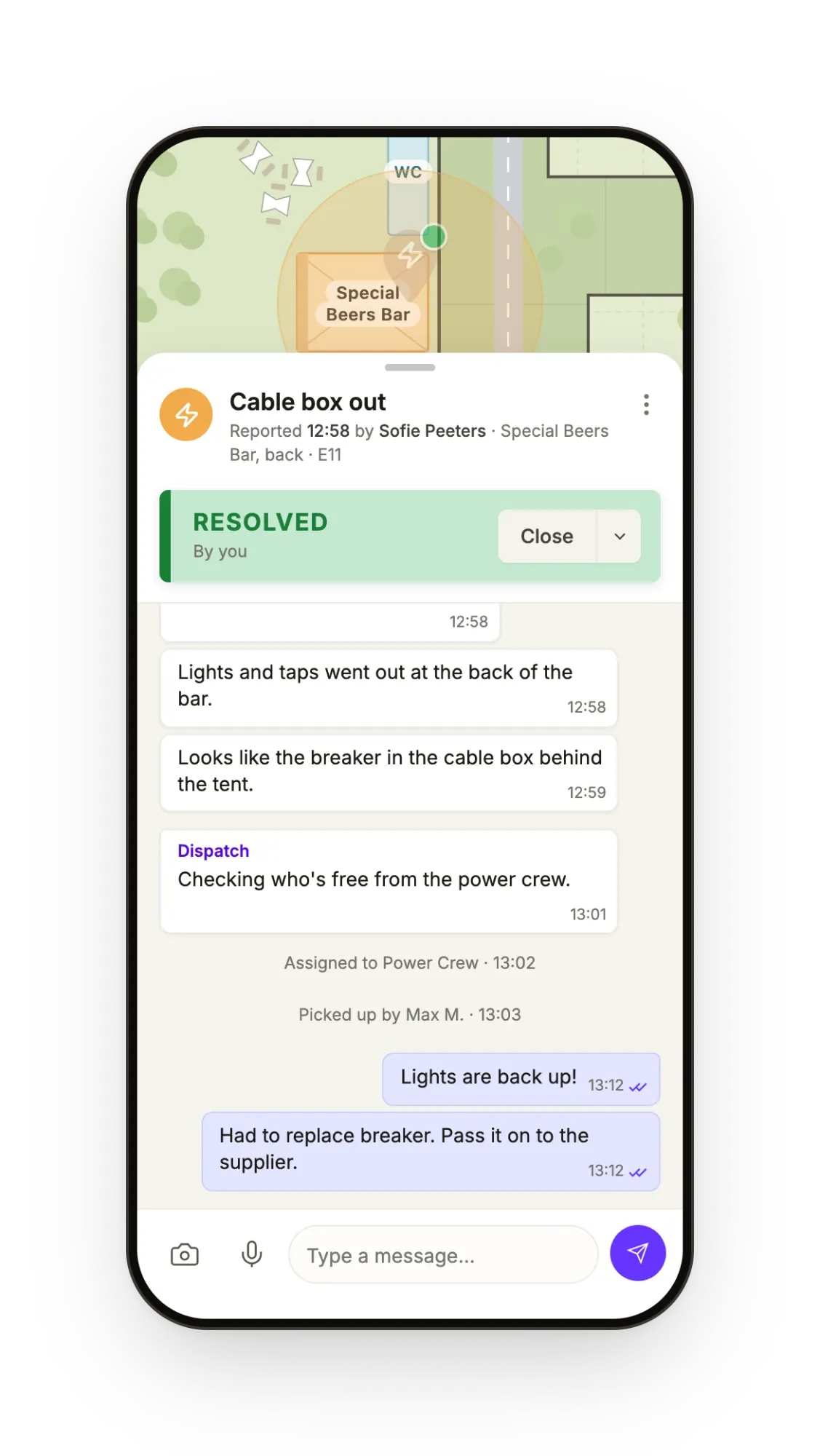
Get things fixed without chasing anyone.
Radios aren't going anywhere, but they're not available to your whole crew. Everyone else ends up in WhatsApp, where things fall through the cracks. Festival Radar Pro puts them back on the map, for every crew member, with or without a radio.
Know who's doing what, at a glance
Every task shows up on your map with its own status, so you see what's open, who's on it and what's stuck. Filter by person, team, zone or status. You assign and close them yourself, so you always have the last word.
How dispatch works →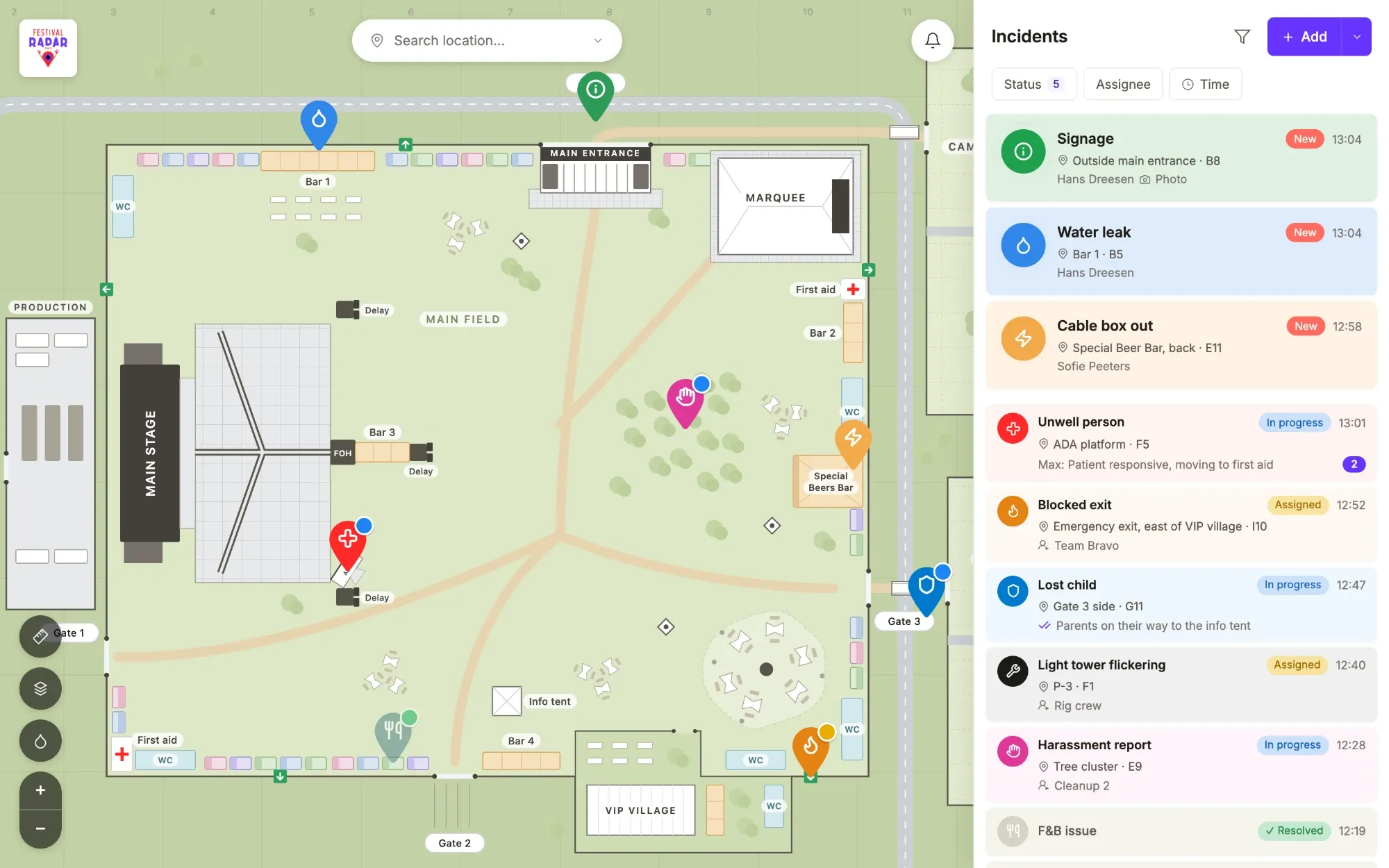
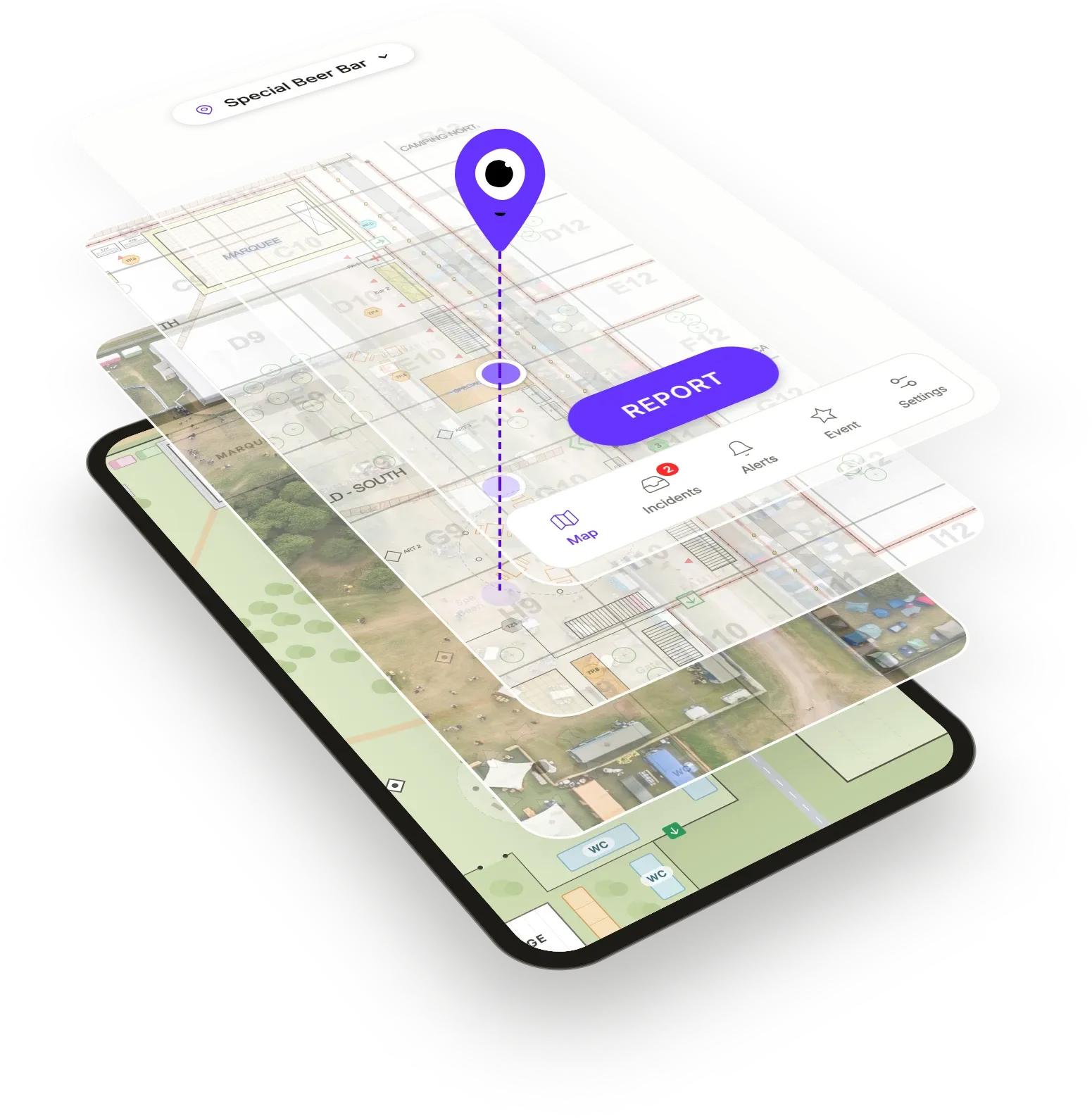
Everyone uses their own map, but sees the same spot.
No more confusion about locations. Production works off the technical drawing, security prefers the grid and the volunteer at the bar only knows the public map. That's fine, because a pin dropped on one map shows up on exactly the same spot on all the others.
How site maps work →Everything on record.
While your crew gets on with the job, Festival Radar Pro logs a complete audit trail: who reported it, who picked it up, every status change with the exact time, the photos and the chat. Export it as a branded PDF or a full Excel for your debrief, next year's edition, the insurer, the municipality or the police.
How the logbook works →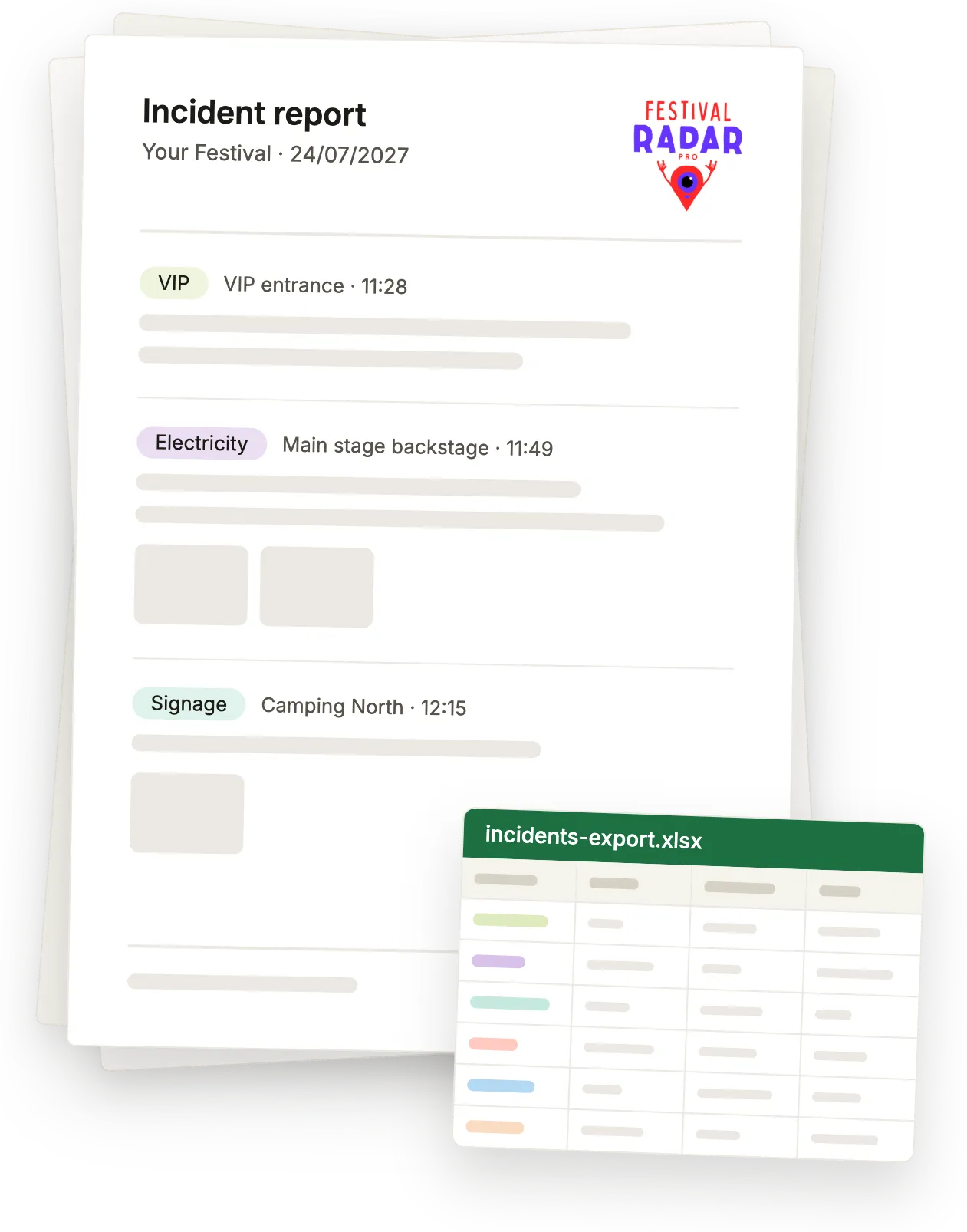
Your crew will ask why you didn't do this sooner.
The people on the ground are the first to get it, because it makes their jobs easier. They no longer have to shout locations over the radio or dig through group chats.
They can work more autonomously when tasks are assigned to their team. Onboarding only takes a minute, because they join with a phone number and a code, in the app or straight in the browser.
“We assign production tasks to the whole Tech Team and the guys pick those up themselves. No micromanaging.”
“I did my evening rounds, assigned a bunch of issues to the night crew and in the morning they were all resolved ✅”
Questions organisers ask
What about our radios?
Keep them, because they're often required and they're not going anywhere. But they're expensive, so not everyone on your crew carries one. Festival Radar Pro runs on the phone everyone already has and keeps track of the where, the who and the what, so nothing gets lost when the channel goes quiet.
Will volunteers and outside crews actually use it?
If they can use WhatsApp, they can use this. They join with a phone number and a code, and they'll have your searchable map in their pocket. They'll no longer get lost, which is especially useful for temporary crew who might only work one day and don't know your terrain by heart. On top of that, reporting only takes three taps.
Can we use our own site map?
Yes, whether it's a public map, a technical drawing, an aerial photo or a grid plan. Festival Radar Pro supports several sites and floors and a different layout per day, and everyone sees the layer they prefer. We'll add your maps for you, including zones & POIs.
Can our security company or care team join?
Yes, either as their own team with their own manager or as guests who read along.
What does it cost?
We'll quote one price per festival, covering the whole period, your whole crew and every team. Learn more about how we price →
Do you also work with trade fairs and exhibitions?
Yes, we do that with Expo Radar Pro, which is built for expo organisers.
Demo time.
Try it yourself.
What works best for you?
Pick a time that suits you for a 30-minute online call, and we'll show you Festival Radar Pro on a festival like yours.
Do you want to discuss details, practical issues or talk about your map? Leave a message here: